
Mastercam Art
Mastercam Art är ett tillägg till Mastercam Fräsning eller Mastercam Router.
Combining an Artist's Eye With a Computer's Ease
Save your knowledge
It's common to re-use your creation settings on various jobs. Mastercam Art lets you save off your favorite combinations as "presets," ready to be used again in an instant.
Quick Creation
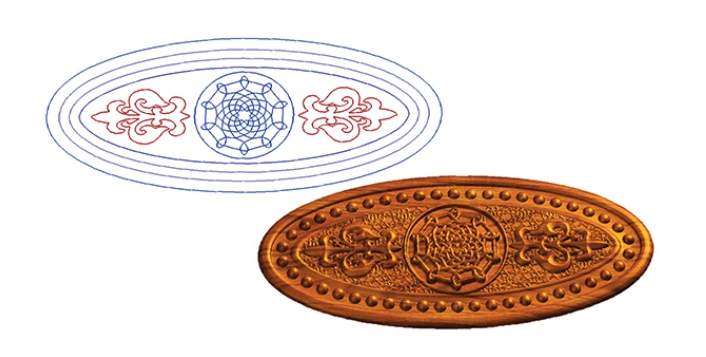
Mastercam Art's power is its ability to create complex organic surfaces with a few simple clicks. Once you have selected the basic outline of your project, you can quickly "puff it up" by applying a cross-section to it. You can create your own, or use a dynamic cross-section from the included library.
Easy Refinement
You choose to refine your cross-section shape "by eye" through clicking and dragging control points on the graph, or with mathematical precision by entering values.
Sculpting Options
Beginners can create their first complex models by defining
shapes from clipart or their own scanned artwork. Experienced
CAD/CAM users have a full range of modeling tools to create even
more sophisticated pieces. And in all cases, Mastercam Art tracks
your model step by step, allowing quick and easy modifications any
time you want.
Relief Manager
Track your project step by step with Mastercam's Relief Manager. You can instantly adjust, reorder, or edit each element, letting you put the finishing touches on your project and giving you complete control. Hide and show elements for fast design changes.
Rough Model Gets Precise With a Single Click
Model using a "quick" screen resolution for fast redraws and experimentation. You can boost the resolution at any point to get a crisp model with as much detail as you need.
Experimentation Made Easy
Quickly undo and redo your modeling steps, ensuring that your model is always flexible and you can go back to previous versions.
Stack It Up In Minutes
Accuracy and Speed
| Parallel at a Given Angle | |
| Rounded Rectangle Spiral | |
| Radial to Corner | |
| Spiral to Boundary |
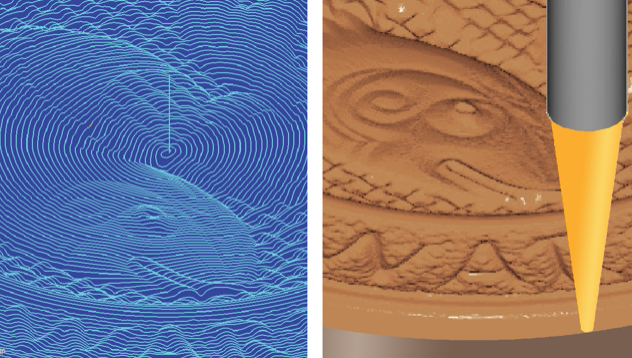
Mastercam Art's toolpaths are created specifically for
accurately
machining artistic surfaces. Built with an eye toward speed,
these
toolpaths give you machine-ready results - usually in seconds.
Pick the Perfect Technique
Mastercam gives you a powerful set of techniques/strategies to fit every project. Roughing toolpaths use big tools for quick stock removal, while finishing toolpaths use smaller tools to pick up the detail. You can choose ball, bullnose, flat, and a variety of taper cutters.
Machine at the Resolution You Need
Mastercam Art starts with a clean "canvas" to which you add your
art. These canvases can easily be combined into a single project,
letting you model highly detailed work on a "high resolution"
canvas section and
looser work on a "medium resolution" section. This can dramatically
speed your modeling and programming time. You can also put
these
canvases on different machining planes for added flexibility.
Save Your Knowledge
Mastercam's Operations Manager lets you edit your cut strategies at any time, and generate a new toolpath with a single click. You can also save off successful sets of strategies, and apply them quickly to future jobs.
See it Before You Cut It
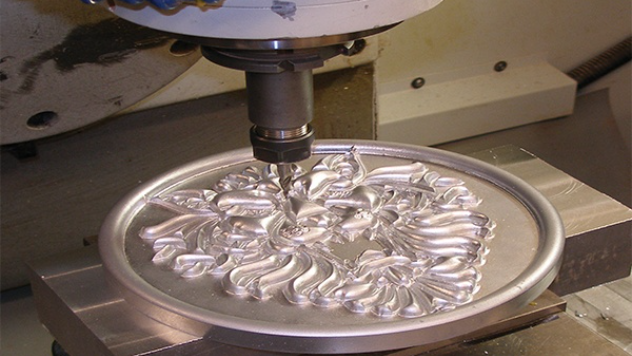
See what your part will look like when it comes off the machine with Mastercam's solid-model toolpath verification. Watch the part being cut on-screen, and inspect it by rotating and zooming in on any detail.
THE PROCESS
Mastercam lets you go from "art to part" with a single software
package. A simple process takes you from your flat art to a
beautifully sculpted piece that comes off the machine with exactly
the look you want.
Import Art
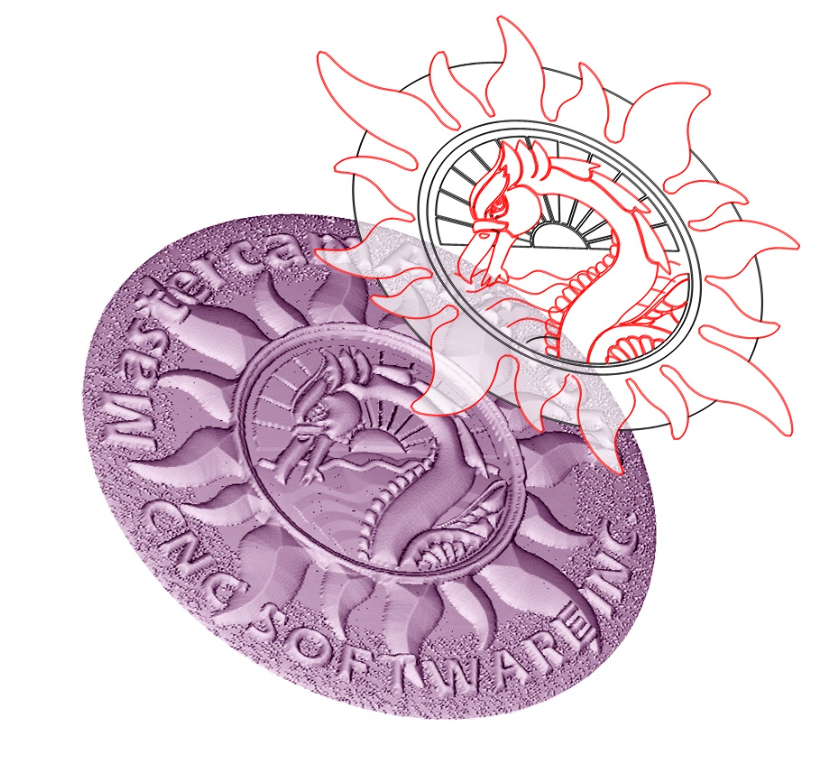
Bring in clip art, a CAD file, or a scanned sketch or photograph. Mastercam Art converts the artwork into flat, machinable geometry, giving you a basic palette from which to craft your finished model.
If you need ideas to start your project, Mastercam's Classic Art Library gives you 5,000 artistic elements to easily place in your model.
Build a 3D Model
Quickly create a full 3D sculpture from your 2D artwork by picking elements of your flat art. Mastercam "puffs up" the art using a cross-section you control. You can add or remove one section from another, and easily modify the model by eye to make sure it's exactly what you want.
Create a Toolpath
Pick one of Mastercam Art's specialized toolpaths to cut your project. These fast, reliable cut strategies are easily modified, letting you quickly try out a variety of cut techniques for the perfect result.
Machine It On-Screen
Using Mastercam's solid-model verification, you can see an on-screen simulation of your cut part before you put stock on the machine.
Output Code To Your Machine
Quickly create G code for your machine using
Mastercam's extensive post processor library.
"Mastercam Art gives me the perfect combination of free-form art and user-friendly technology."
- Robert Hendricks, Owner
Hendricks Manufacturing
Salt Lake City, UT
Single-click Mold Creation
After you've created your "positive" model, you can convert it into a mold with one simple mouse click. It can also automatically reverse your text.
From Picture to Sculpture
Mastercam Art delivers powerful, easy, artistic tools, including the ability to create a 3D model directly from a digital image. Scan in a photo, and Mastercam Art will create an organic, sculpted piece using the highlights and shadows as guidelines for height.
Hardware Requirements
The following suggestions are a minimum performance specification. To increase performance, the best value for the dollar is to increase the processor speed, then the RAM and finally the graphic card memory.
- Art only runs on the current Maintenance release of Mastercam Mill Levels 1-3, Router, and Router Pro. Art does not run on Entry-level products, Design, or Draft.
- Operating Systems-XP or Windows Vista
- Processor-Intel Pentium 4, 2 GHz processor or better
- Memory - 1 Gb memory or better
- Windows compatible mouse
- Minimum resolution is 1024x768, 1280x1024 or better is recommended.
- Graphics Cards - 128 MB memory with 1280x1024 graphics mode or
better.
(Nvidia has been a very successful graphics card for Mastercam.)